 ESX
 QBCore
 QBox
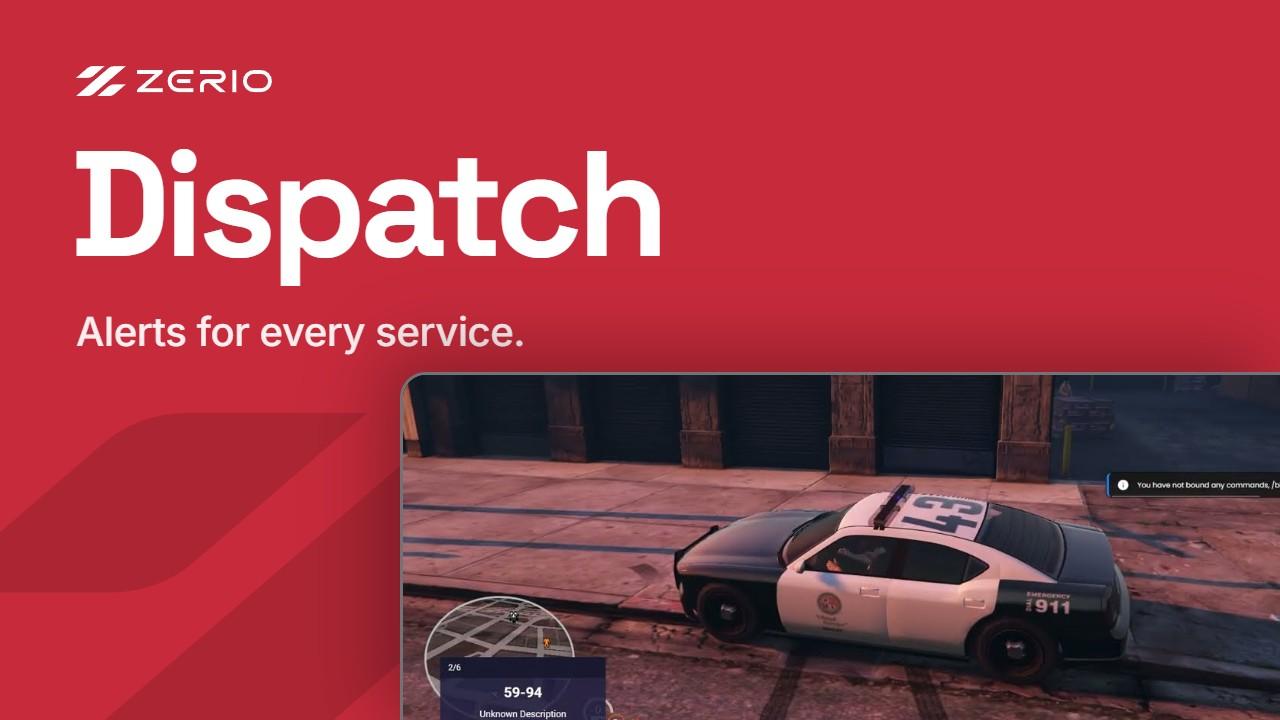
Zerio DispatchFiveM Dispatch Script
This is a modern Dispatch script with all the features that you would expect/need. It supports an (technically) infinite amount of different jobs/menus so you dont need to worry about having different dispatch scripts for different jobs, this simply supports all of them.
- Instant delivery to your keymaster
- Lifetime updates
- Secure Tebex checkout
- 3-day money-back guarantee
First order? Use FIRST15 for 15% off.
- Frameworks
- ESX · QBCore · QBox
- Delivery
- Instant · Cfx.re keymaster
- Updates
- Lifetime, included
- Support
- Zerio Discord
Everything it does
- Default alerts (Shooting, Fighting Car Jacking, Player Death & Reckless Driving)
There are built in alerts for events such as firing a gun, fighting, carjacking and such. Meaning that these alerts do not require any further setup to start being used. - Extensive Config
We have an nicely structured, easy to understand and extensive config which will allow you to modify the script to fit your exact needs. - Translations for both UI and Lua
All text shown in the script, such as notifications, the ui and everything else can all be translated - Support
Support is a key feature for us, it is always included upon buying an product from us and we take pride in our fast response times & effective support work. - Member List
You can view all your colleagues in a list, but also see where they are on the interactive map and such. - Alerts History
You can view the history of all old alerts - Newest Alerts Box
There is an UI which displays all the recent alerts and can be controled via keybinds. - Interactive Map
The map featured in this script is highly interactive and accurate - Quick keybinds
- See jobmembers on the dispatch map
- PS-MDT Support
Drops into your stack
Check what your server needs before you buy. Custom integrations are possible on request.
- Frameworks
- ESX · QBCore · QBox
- Requirements
This is a QB-Core / ESX script and for that reason it requires any official version of QB-Core or ESX.
The script is always tested on the newest versions and it supports any oxmysql/ghmattimysql/mysql-async.
If a specific ESX / QB-Core version doesnt work then you can report it in our discord server and we will fix it as fast as possible!- License
- Lifetime access · Included, forever
- Delivery
- Instant, to your Cfx.re keymaster
- Checkout
- Secure, by Tebex · 3-day money-back guarantee
- Support
- Zerio Discord
- Documentation
- Install & config guide
Installation Guide
- 1
Download the script from the Cfx.re Portal
- 2
Upload it to your server's resources folder
- 3
Import the SQL (if the script has any)
- 4
Add it to server.cfg
- 5
Configure, then restart

Join 3,018 server owners on Discord
800 online now · Ask before you buy, get support after.
Frequently asked questions
Quick answers before you buy. Still unsure? Ask us on Discord and we'll get back to you, usually within a few hours.